macOS 14+ · Free to use · Open source

See what's eating
your disk.

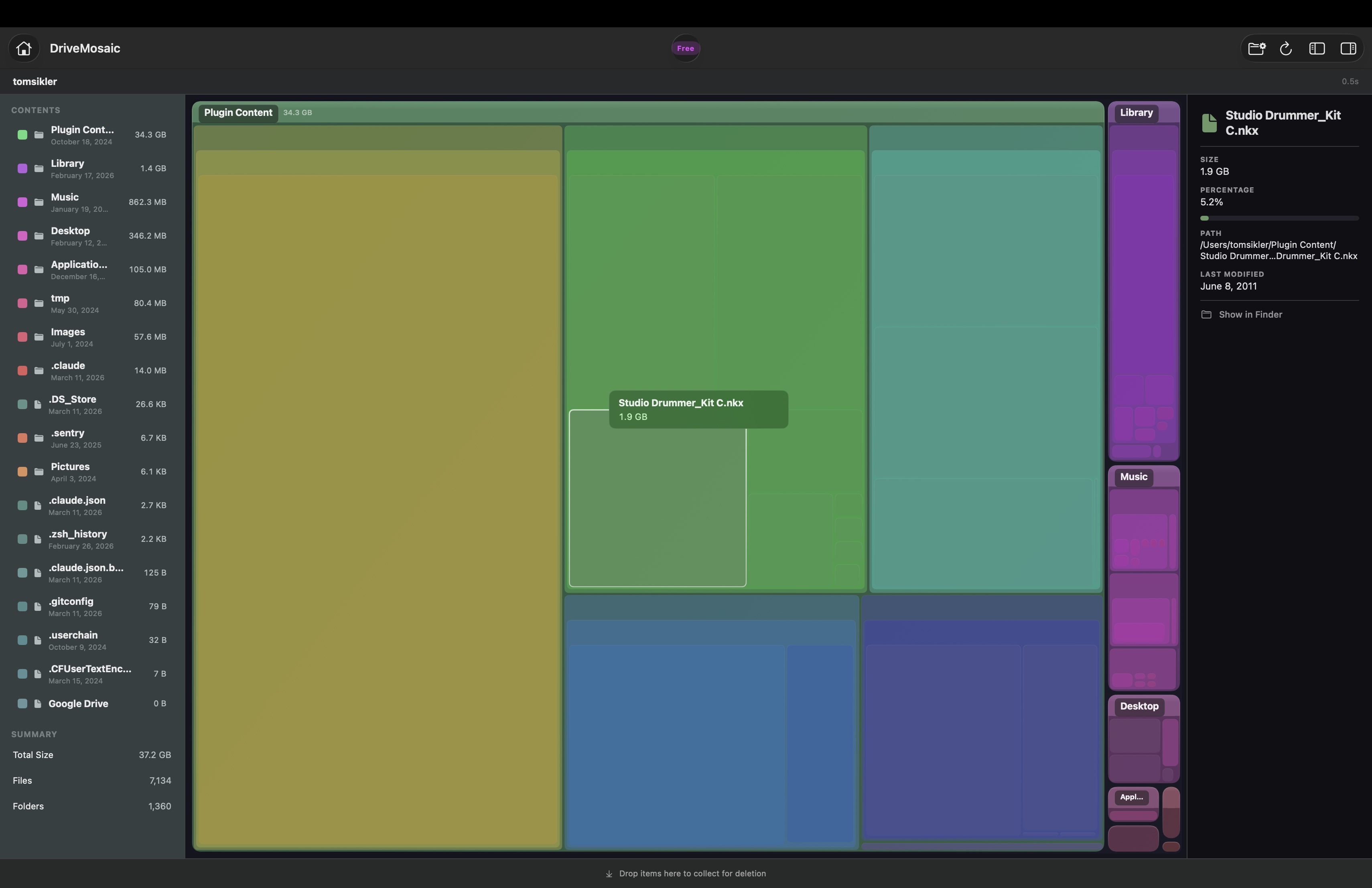
DriveMosaic scans your drives and paints a treemap of every file and folder. Instantly spot the space hogs. Clean up in one click with Pro.

Free forever to scan · No account required · No telemetry
DriveMosaic treemap visualization showing disk usage

Built for people who care about their disk.

Not another bloated utility. DriveMosaic is fast, focused, and stays out of your way.

Treemap Visualization

Every file and folder rendered as proportional blocks. Big files jump out. No hunting through Finder.

Fast Scanning

Built on BSD's fts API — the same low-level interface professional disk utilities use. Scans hundreds of thousands of files per second.

Drill-Down Navigation

Click into any folder. Breadcrumb bar tracks your path. CMD+Click to reveal in Finder. Escape to go back.

🗑

Drag-to-Delete

Drag space hogs to the collector. Review what you're removing. One click to trash. Auto-rescan confirms the cleanup. Pro

🔒

No Sandbox

Distributed outside the App Store so it can actually scan your full disk. Grant Full Disk Access and see everything.

📈

Real-Time Progress

Live scan counter, elapsed time, and scan rate. You always know what's happening — no staring at a spinner.

Simple pricing. No subscriptions.

Scan and visualize for free, forever. Upgrade once for cleanup tools.

Free
$0
forever
  • Full disk & folder scanning
  • Treemap visualization
  • Drill-down navigation
  • Sidebar & detail panel
  • CMD+Click to Finder
  • Real-time scan progress
  • Delete to Trash
  • Duplicate detection
  • Export reports
Download Free
Best Value
Pro
$4.99
one-time purchase
  • Everything in Free
  • Delete to Trash from DriveMosaic
  • Duplicate file detection soon
  • Export scan reports soon
  • Priority support
  • All future Pro features
Buy Pro — $4.99
License key delivered instantly. Activate in-app.
DaisyDisk charges $9.99. CleanMyMac is $40/year. DriveMosaic Pro is $4.99 once.

Get DriveMosaic

Download the DMG, drag to Applications, done. Takes 10 seconds.

DriveMosaic-1.0.dmg
~500 KB · macOS 14.0+ · Apple Silicon & Intel
Download
1
Open the DMG and drag DriveMosaic to Applications
2
Right-click the app > Open (first launch only, for Gatekeeper)
3
Grant Full Disk Access in System Settings > Privacy for complete scans